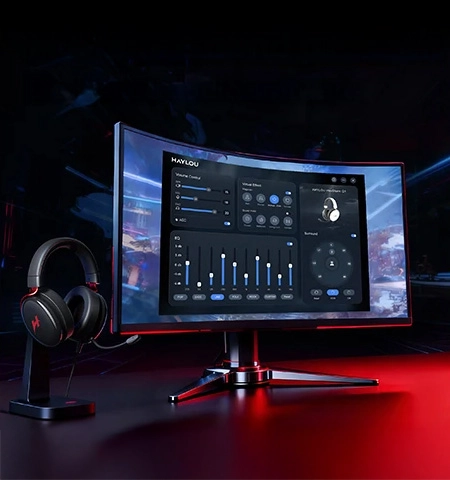
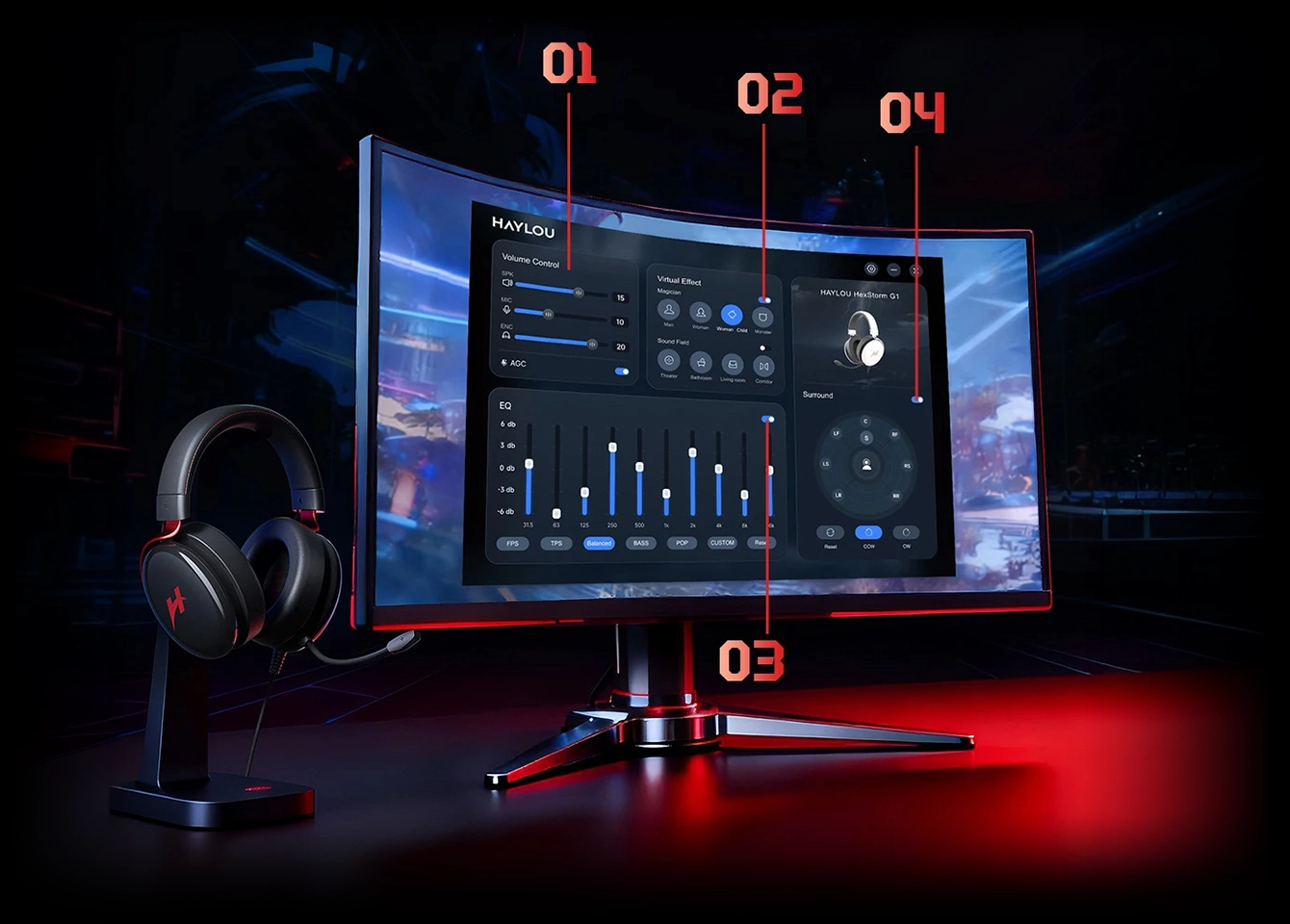
Adjust headphone and microphone volume levels.
Drag the corresponding sliders to adjust as needed.
Instantly enable multiple sound field magic modes.
Toggle the switch in the upper right to activate "Magician" or "Sound Field". Select your preferred sound mode from the dropdown menu.
Toggle the switch in the upper right to activate "Magician" or "Sound Field". Select your preferred sound mode from the dropdown menu.
Toggle the switch in the upper right to activate EQ. First, select a suitable preset mode, then manually drag the frequency band sliders for customization.
360° surround sound field with manual or automatic sound source positioning.
Toggle the switch in the upper right to activate the surround sound effect.
Manual Mode: Drag the sound source icon 360° to experience surround effects from different directions.
Auto Mode: Click the "CCW" (Counterclockwise) or "CW" (Clockwise) button for anautomatic 360° surround demo.